Front and back in one capture
Use the front and rear cameras together for photos or video on supported devices. Picture-in-picture and split layouts put both perspectives in a combined frame.
 freoza.

DOUBLEREC / A FREOZA APP
Capture your view and reaction together. DoubleRec offers front/back photos and video, with dual formats and separate files on supported iPhones. Plan travel clips, demonstrations and stories around the output you need: a combined frame, two camera files, or portrait and landscape versions of one take.
For iPhone · iOS 15 or later
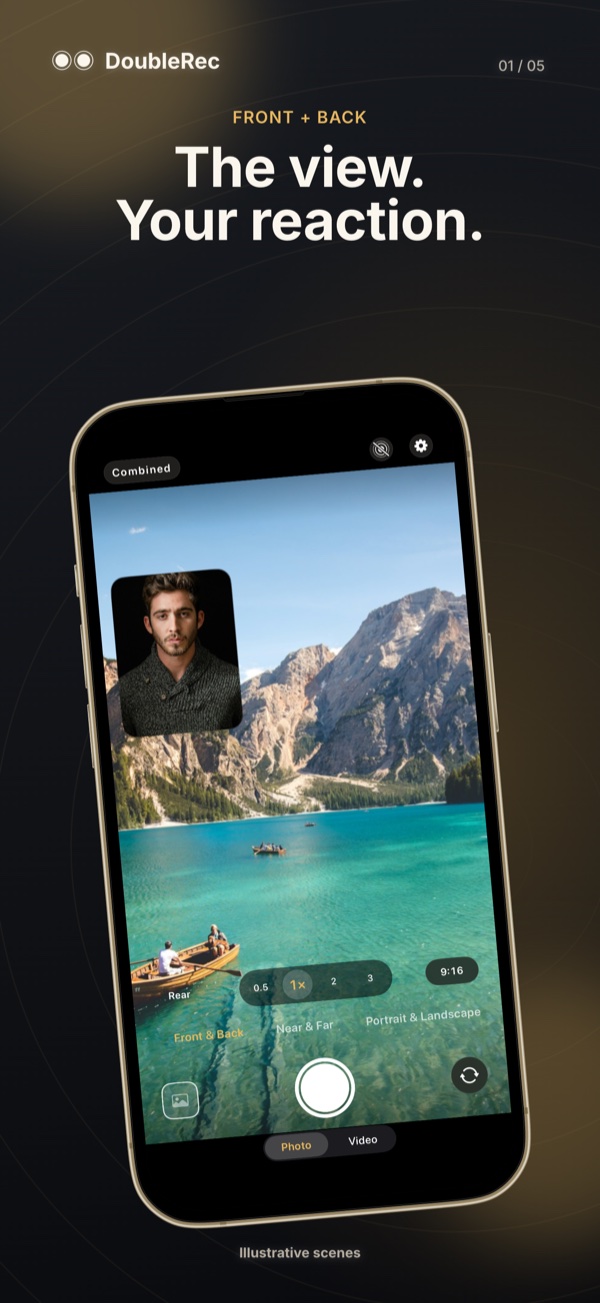
Use the front and rear cameras together for photos or video on supported devices. Picture-in-picture and split layouts put both perspectives in a combined frame.
Capture two rear-camera views for separate horizontal and vertical outputs. This mode requires a feasible simultaneous Wide + Ultra Wide combination.
Separate camera files leave more room for editing elsewhere. DoubleRec also provides near/far capture, Live Photos and supported 4K settings; some near/far setups use a zoom crop.
Use front/back for your face and the scene. Choose Portrait & Landscape for two formats of a rear-facing scene.
Choose Photo or Video, review the framing and output setting, then make a short test on your device.
Open the capture in Gallery. Save or share the current item, then move to the other item if you need both files.
FAQ
No. iOS 15 is the minimum software requirement, not a guarantee of simultaneous camera support. The app checks camera combinations and may reduce resolution. Portrait & Landscape specifically requires simultaneous Wide + Ultra Wide capture.
No. It describes separate camera recordings, not a RAW or ProRes format. The current video pipeline uses one microphone feed across the output files.
Captures are kept in the app locally. Saving to Photos exports the current item. Photos, iCloud backup and services you choose for sharing follow your settings.
Privacy policy · Version and privacy information on the App Store
Product information checked:
DoubleRec
Capture a scene and your reaction in one take. Compare the built-in option with DoubleRec, then check camera support, framing and how to save the result.
DoubleRec
Prepare a horizontal video and a vertical clip in one take with DoubleRec. Learn the two-camera requirement, framing checks and how to export both files.
DoubleRec
Understand Combined versus Separate Files in DoubleRec, check both recordings, and export each item from Gallery without mistaking it for RAW capture.
DOUBLEREC
Plan travel clips, demonstrations and stories around the output you need: a combined frame, two camera files, or portrait and landscape versions of one take.
Download on the App Store
Compress videos to a target size, split long recordings, and merge clips on your iPhone.

Turn a video moment into a Live Photo, choose its cover, and save it to Photos.